Everything you need to keep things private.
Nothing you don’t. Every feature works offline, on your phone.
A lock that’s yours alone.
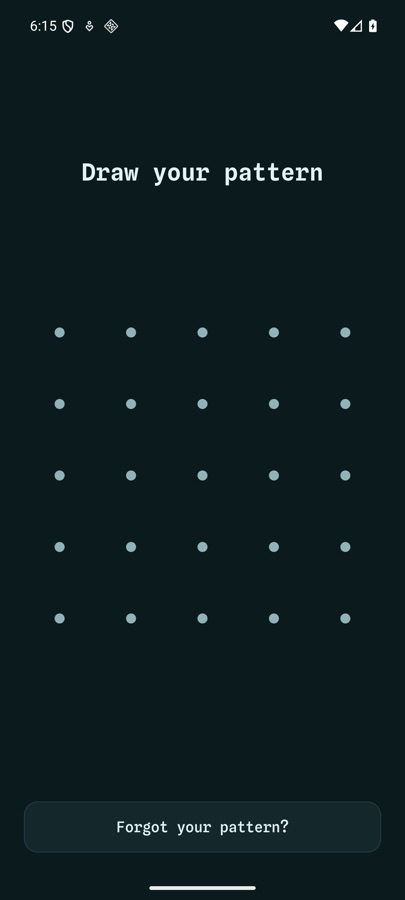
- 5×5 pattern. Far more combinations than a 3×3 phone lock.
- Fingerprint unlock. Optional, after you’ve drawn your pattern once.
- Intruder photos. From the third wrong pattern in a row, the front camera quietly photographs each attempt.
- Locks itself when you leave the app.
Separate vaults for separate things.
Each vault has its own pattern and its own recovery phrase. Drawing one pattern opens only that vault. Nothing on screen says the others exist.
- Three vaults on the free plan, unlimited with Pro
- Folders inside each vault
- Search everything in the open vault
My Vault
Pattern A
My Vault 2
Pattern B
My Vault 3
Pattern C
Pro
Unlimited
For when someone is looking over your shoulder.
Disguise as another app PRO
Give Sealcloak any picture and name, so on your home screen it looks like an ordinary app.
Opens to your pattern PRO
Tap the disguised icon and it goes straight to your pattern. Nothing else gives it away.
Coerce
A harmless vault with its own pattern. If you’re forced to unlock, draw it and show there’s nothing to see.
No screenshots
Screenshots, screen recording and the recent-apps preview are blocked.
Erase after wrong tries
Off by default. Turn it on and too many wrong patterns erase every vault. You must type PERMIT to enable it.
Out of the gallery
Once a photo is safely inside, delete the original from your gallery and it lives only in the vault.
More than a photo locker.
Photos & videos
View and play them without ever saving an unencrypted copy.
Documents & audio
PDFs, files and recordings, all encrypted.
Private notes
Write notes that live only in the vault.
Document scanner
Scan papers and IDs into the vault as a PDF. The pages are saved to the vault, not your gallery.
Backups without a cloud.
Recovery phrase
Nine random words, or your own sentence of six words or more. It opens the vault if you forget the pattern.
Encrypted backup file
Export a vault to one encrypted file. Move it to a new phone and import it there.
Scheduled backup
Weekly or monthly, saved to a folder you choose, even while the app is locked.
Share securely
Send a file encrypted with a passphrase. Share the passphrase separately.
Security checkup
A quick list showing what’s set up and what to do next.
Light & dark
Follows your phone’s theme, or pick one.
How each feature works.
Pattern lock for photos: a 5×5 grid only you know
Its own 5×5 pattern, separate from your phone's lock, with optional fingerprint.
How Sealcloak encrypts your photos and files
AES-256-GCM on the phone, a random key per vault, unlocked by your pattern.
Hidden vaults: separate vaults, each with its own pattern
Separate vaults with their own patterns. Nothing shows how many exist.
Coerce: a decoy vault for when you're forced to unlock
A harmless decoy vault with its own pattern, for when someone makes you unlock.
Calculator vault: hide Sealcloak as a working calculator
A working calculator on your home screen. Your secret code opens the vault.
Custom icon: disguise Sealcloak as any app you like
Your own picture and name on the home screen. Opens straight to your pattern.
Intruder photos: see who tried to open your vault
From the 3rd wrong pattern in a row, the front camera photographs each attempt.
Vault recovery phrase: get back in if you forget your pattern
9 words that get you back in. Without them, nobody can open the vault.
Encrypted backups: move your vault to a new phone
One encrypted file, by hand or on a schedule. Restore on any phone.
Private camera and document scanner
Capture photos, videos and scans straight into the vault.
Erase after wrong patterns: an optional self-destruct
Optional: erase everything after too many wrong patterns. Off by default.
Share files securely as a passphrase-locked package
One passphrase-locked file. Send it with any app, and the passphrase separately.
Try it free.
Every feature above is in the app today. Pro removes the limits.